Use this free crochet row counter to keep your place while working a blanket, scarf or another crochet project. Add one after each completed row, correct an accidental tap or set a known count. Named projects save in this browser on this device, so you can keep separate counts for different pieces.
Mehroosh Crochet Co · Free crochet tools
Keep track of completed crochet rows. Saved projects stay in this browser on this device; clearing site data can remove them. There is no account or cloud sync.
Your current project
0
completed rows
Enable JavaScript to use the counter.
Set or reset this counter
To reset, enter 0 and select Set count. This changes only the selected project.
Keep your place
Tap + 1 row after finishing a full row, including its last stitch. Use − 1 row if you tapped twice. Name a separate project for each piece. The counter records a number, not the stitch pattern, so keep your pattern notes separately.
Use one tab for each project to avoid competing edits. If browser storage is blocked, a warning appears and the count will last only until the page closes. Do not rely on private browsing for permanent storage. No project names or counts are sent to the website.
Table of Contents
How to use the crochet row counter
Choose the current saved project or type a new project name and select Create project. Keep the name short enough to identify the piece clearly, such as Sage scarf front. The project selector lets you return to another saved count without replacing its name or number.
Press Add one completed row after finishing the entire row, including its final stitch. Use Subtract one row if you tapped twice. Open the set-or-reset controls when you need to enter a known count or return the selected project to zero. Check which project is selected before changing an existing count.
A crochet row counter example: finishing row 12
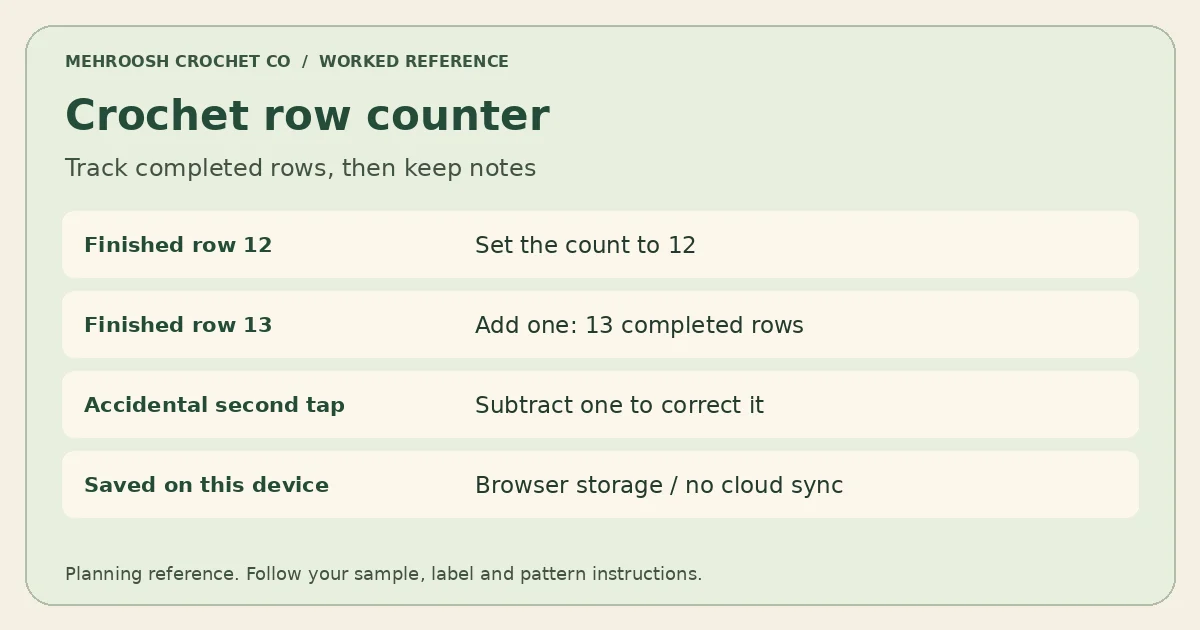
Imagine you have completed twelve rows of a scarf. Set the counter to 12 and leave your pattern note at the next instruction. After completing row 13, press the add button once. If you press twice and see 14, subtract once to return to 13. The number records completed rows, not the row currently in progress.
For a four-row repeat, the crochet row counter can track the total completed rows while your separate notes track the repeat position. At twelve completed rows you have finished three complete four-row repeats. The next row begins another repeat, subject to any setup rows or special instructions in the pattern.
Understand where your count is saved
The counter uses browser storage on the device you are using. It does not create an account or sync through the website. Opening the page on another phone or computer will not automatically bring over your projects. Another browser on the same device may also have separate saved data.
Reloading the page normally keeps successfully saved progress, but clearing site data, changing browser profiles or ending a private-browsing session may remove it. If browser storage is unavailable, the tool displays a warning; the temporary count then lasts only in the current tab. Keep an occasional written note for projects you cannot easily recount.
Use the number alongside your pattern notes
The tool records a name and a number. It does not record stitch instructions, colour changes, increases, decreases or working hours. Note those details separately. A useful stopping note includes the completed row, the next instruction and any stitch-count check you made before putting the project down.
Use one tab for each project to avoid competing edits. If the same project is open twice, an action in one tab can update the saved state seen by the other. Before resuming after a break, compare the displayed number with your fabric and notes rather than assuming a button was pressed at exactly the right moment.
Crochet row counter questions
Does the starting chain count as row one? Follow your pattern’s convention. A foundation chain is not automatically a completed working row. Decide what the counter represents before starting and use that convention consistently throughout the project. Our stitch-counting guide helps you check the fabric itself.
Can I use it for rounds? You can record completed rounds if that is the convention you choose, but the tool does not locate the start of a round or manage increases. Keep a stitch marker and follow the pattern’s instructions. Check unfamiliar wording against the Craft Yarn Council abbreviation list.
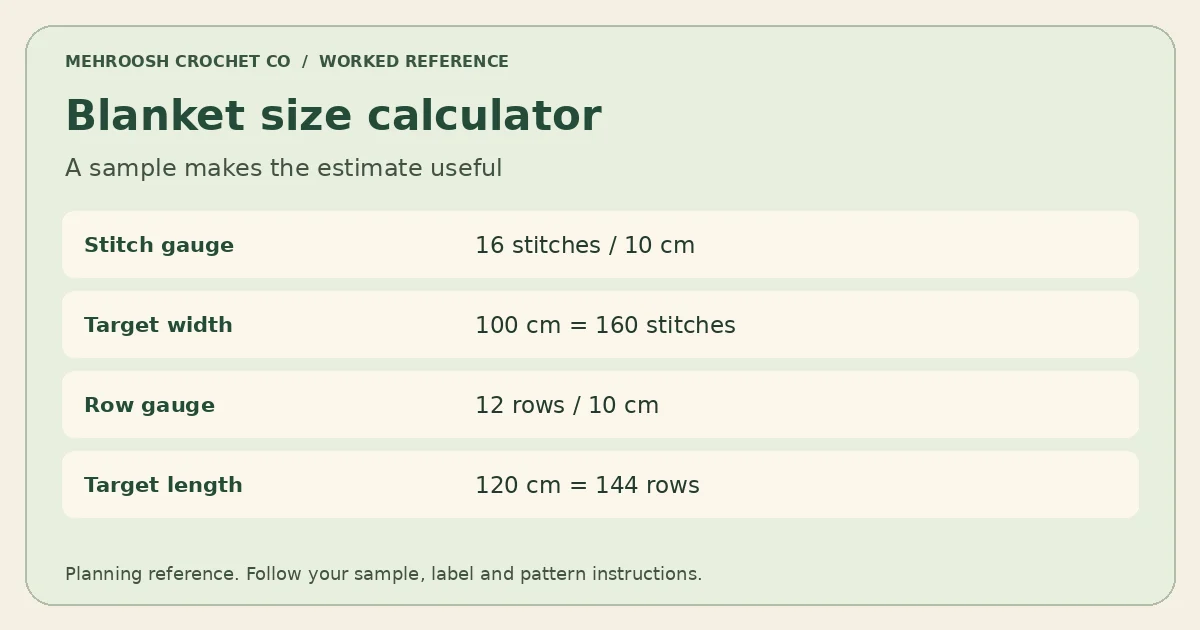
Can it tell me how many rows I need? Use the Blanket Size Calculator for a rectangular panel estimate, then track the completed rows here. Return to the free crochet tools hub for related gauge and yarn tools.
Three habits for using the crochet row counter
1. Choose one counting convention
Before starting, decide whether the displayed number means completed working rows, completed rounds or a particular repeated section. A useful project name can include the piece, such as scarf front or second sleeve. Keep setup chains and special foundation instructions in your written notes unless the designer explicitly counts them as a row.
The crochet row counter does not recognise the fabric or read the pattern. It records the number you give it. If you change your counting convention halfway through a project, correct the number and write down what changed. Otherwise the same displayed total can mean different stopping points when you return later.
2. Record the next instruction as well
For a four-row repeat without setup rows, twenty completed rows represent five complete repeats. The next working row is row twenty-one and begins another repeat. If the pattern has setup rows, subtract those before interpreting the repeat position. The total number and the position within a repeat answer different questions.
Keep the crochet row counter alongside a short note identifying any colour change, increase or special stitch due next. A note reading row twenty finished; next row begins contrast colour is clearer than a note reading twenty. Marking the relevant instruction also makes it easier to compare the saved number with the actual fabric.
3. Check progress before leaving the device
After a session, confirm that the correct project is selected and the displayed count matches your last completed row. Take a written note for work that would be difficult to recount. When you move to another browser or device, enter a verified count there; local browser storage does not provide an automatic transfer.
Do not use the crochet row counter as the only record for an important project. Site-data clearing, a private session or unavailable browser storage can remove progress. If a number disappears, use your fabric, markers and written record to establish the last completed row before setting it again. Guessing a count can move a later colour change or shaping instruction to the wrong place.
 Blanket Size Calculator
 Crochet Stitch Calculator
 US to UK Crochet Terms Converter